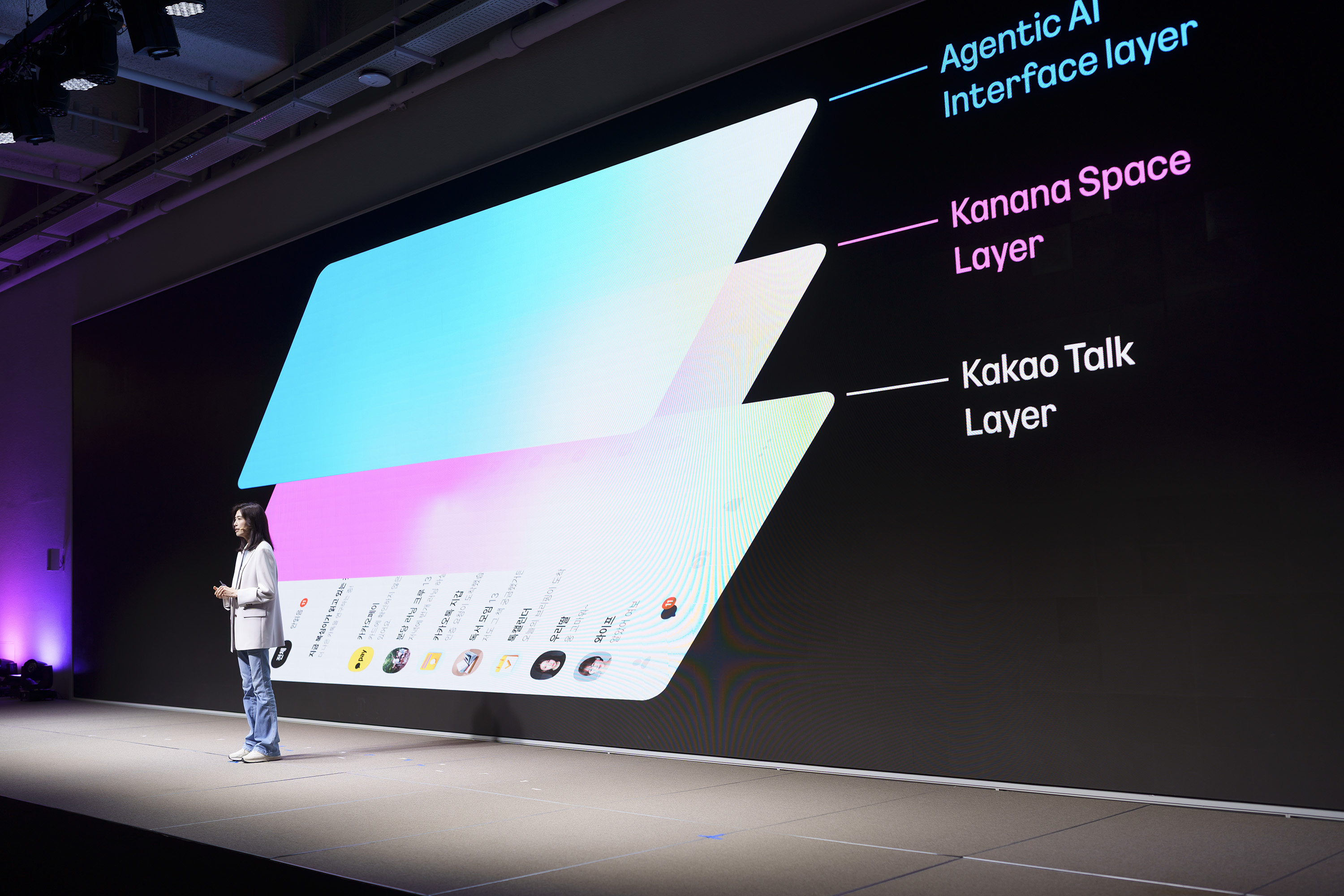
Swipe the KakaoTalk screen with two fingers and the cartoon lion Ryan appears. That is Kanana Space, the AI assistant Kakao unveiled on Oct. 13. Pre-registration is already open, and a first group of applicants gets in this December.
How to summon Ryan
Summoning him is simple: two fingers across the KakaoTalk screen. No separate app needed.
For now you can ask for sending messages, managing your schedule, web searches and changing KakaoTalk settings, by voice or text. You can also just chat. Kakao says characters from other IPs will follow.
"Order me some water" and done
The next step Kakao is drawing up is ordering, gifting, booking and money transfers. Its own example: mid-chat you say "order water" and the assistant picks the water you bought before and applies any usable coupon.
Kakao says agents act only inside the scope you allow, and it is building checks around how they plan and carry out tasks. No price has been announced.
Kanvas on PC, inside KakaoTalk next year
Shown alongside it, Kanvas lets you build and run your own agents on a PC. You describe the agent you need and it wires up the tools and skills. A small closed test could start as early as this year.
In the first half of next year Kakao plans a new space inside KakaoTalk where agents gather, including ones built on other frameworks.
How to try it
Pre-registration has been open since Oct. 13 on the Kanana Space website. The December closed beta (CBT) takes a selection of applicants.
Behind it sits Kakao's Kanana model family: simple requests run on an on-device model on your phone, harder jobs go to a larger one.