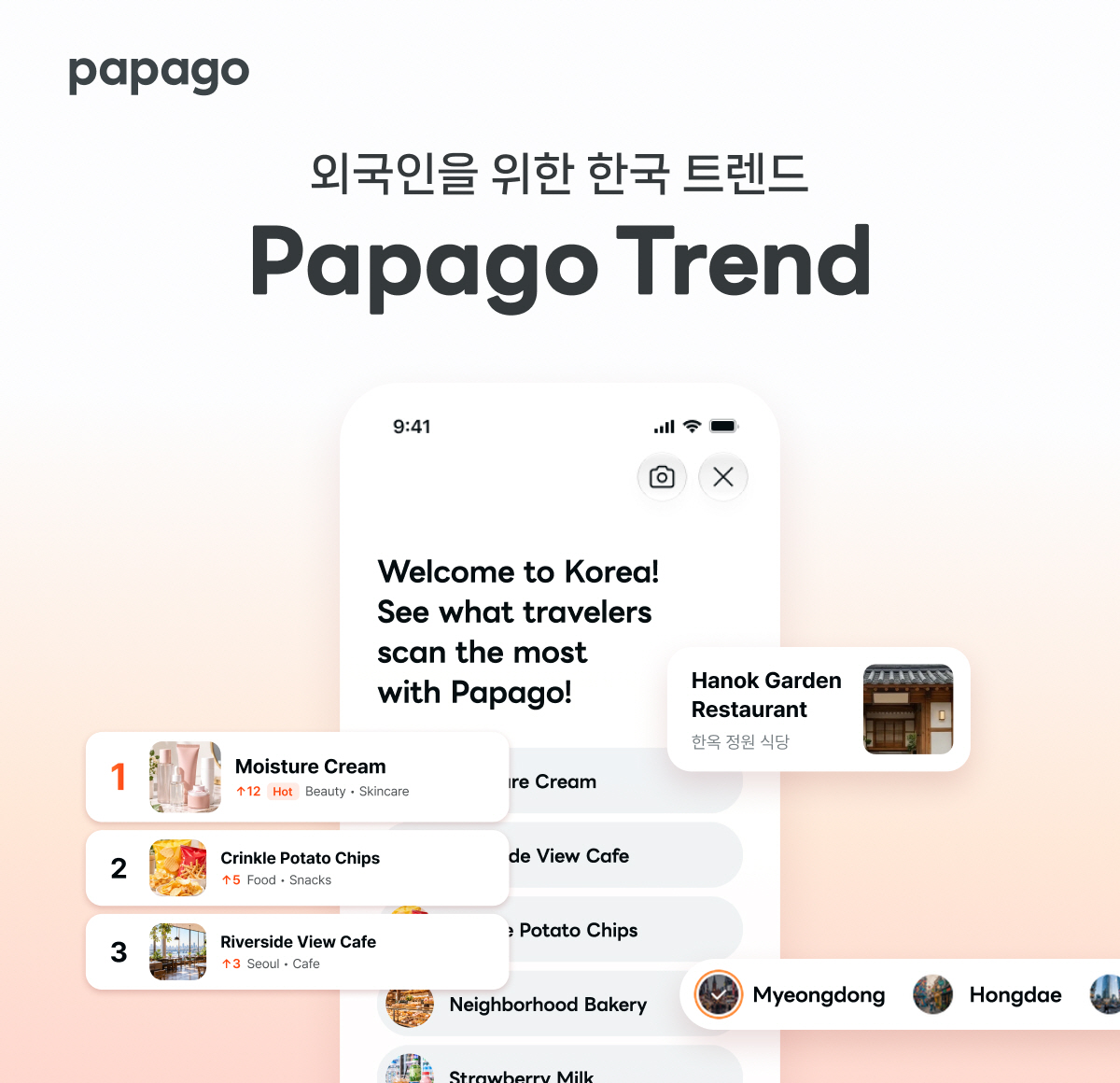
You point the camera to translate a label, and a leaderboard pops up. On the 19th Naver added a 'Trend' menu for foreign visitors to its Papago translation app, showing the Korean products and places other travelers scan the most.
A ranking built by cameras, not search terms
The raw material is the products and places foreign users check most often with Papago's image translation.
In other words, it is a list picked by people who actually held up a phone in front of a sign or a label.
Products: from beauty to health
It splits into five lanes: TOP 100, Rising, Beauty, Food and Health.
Tap a product and an AI briefing in your own language sums up the essentials. Jump to Naver Blog and Shopping and you get Korean user reviews and details.
Places: Myeongdong to Jeju
Places come as a TOP 100, Rising and regional hot spots, with Myeongdong, Hongdae, Seongsu, Jeju and Busan up first.
Pick one and Naver Place hours, location, menu and user reviews appear in your device language, with directions and reservations a tap away.
How to turn it on
It is for users whose device language is set to a foreign language. Open Papago and tap the 'Trend' button at the top right of the home screen.
Supported languages are English, Japanese, and Simplified and Traditional Chinese. Other foreign-language settings get English.
A translator turning into a travel assistant
In April Papago attached restaurant and store info and AI-briefing product info to image translation results; in July it added Tabelog restaurant info for Japanese signs and product photos.
Naver AI Search lead Shin Jung-hwi said: "In the AI-agent era, Papago will go beyond translation to guide foreign tourists through the whole trip — shopping, directions and reservations."